Bed Bath & Beyond
- 4.5
- Rating
- 10.00M
- Installs
- Free
- Price

 Analysis by App-foxy
Shopping for a home can be surprisingly tiring when every room needs something different. I found the Bed Bath & Beyond app most useful when I treated it less like a window-shopping catalog and more like a practical planning tool: I could browse room by room, compare options, and return to products when I was ready to make a decision. It is a free shopping app from Bed Bath & Beyond, Inc, aimed at everyday home purchases rather than a specialist design workflow.
My overall impression is positive, especially for people who already know the kind of household item they need. The app has a 4.5 average from around 98 thousand ratings, and its reach is clear from more than 5 million installs. Those figures do not make every shopping session perfect, but they suggest that it has become a familiar option for people buying bedding, bath items, décor, storage, kitchen goods, and other products for the home.
The most useful question is not whether the app can replace every other shopping method. It cannot. The better question is whether it makes a particular home-shopping task easier than opening a general marketplace and sorting through an enormous mix of sellers. In my experience, that is where it has a clear role.
You May Also Like

 Blood Strike: 2.5 Anniversary
Blood Strike’s Loadouts Turn Every Drop Into a Tactical Gamble
A close look at Blood Strike’s custom loadouts: how fast access to signature weapons reshapes its battle royale rhythm, rewards preparation, and narrows the gap between fights.

 Pandora - Music & Podcasts
Pandora’s Music Is Easy to Start, but Harder to Recover
Pandora’s strength is its low-effort path from a seed to a station. Its weak spot is how much confidence it asks you to place in connection, setup, and quiet recovery.

 8 Ball Pool
 Is Built on Rivalries, Rematches, and Routine
A close look at the rivalries, rematches, shared routines, and unanswered safety questions that turn a quick pool match into a persistent mobile community.

 Samsung Music
’s Quiet Strength Is Playing What You Already Own
Its reach comes less from spectacle than from dependable access to a personal library. That simplicity is both the app’s strongest retention engine and its ceiling.

 AccuWeather: Weather Radar
AccuWeather Review: A Quick, Clear Forecast for Everyday Decisions
For everyday plans, the best forecast is the one you can understand quickly. AccuWeather makes rain timing, radar, and local conditions easy to act on, with a few trade-offs.

 Hill Climb Racing
Why Hill Climb Racing Still Turns Crashes Into One More Run
A tiny car, a bumpy hill and one more upgrade: Hill Climb Racing keeps resurfacing because its simple chaos makes every near-miss feel personal.
More From Our News Desk
View All News


How I use the app for a normal home-shopping trip
I start a normal home-shopping trip by deciding what needs to change in a room, then using that problem to guide what I browse rather than adding items just because they look appealing. Before I compare choices, I note the space, dimensions, and must-haves; that small bit of preparation makes it easier to spot a promising option without letting the trip turn into aimless browsing.
Starting with a room instead of a random product search
My baseline workflow begins with a specific room or problem. If I need to refresh a bedroom, I think about the complete job: sheets, pillows, blankets, protection for the mattress, and perhaps a small storage item. If I search for isolated products without that plan, it is easy to buy one attractive item and forget the practical pieces that make it useful.
The app works well with this room-first approach because its purpose is centered on the home. I can move from an immediate need, such as replacing worn towels, to related possibilities without leaving the same shopping environment. That makes it more focused than a general marketplace, where home products may appear beside unrelated listings and where the first challenge is often filtering out noise.
I also recommend beginning with a short list of requirements before browsing. For bedding, I note the size, preferred material, color range, and whether the item is for daily use or a guest room. For kitchen products, I consider storage space and how often the item will be used. This prevents the visual side of shopping from taking over the decision.
A realistic example is preparing a small apartment for a new tenant or guest. I would use the app to build a checklist around the bedroom and bathroom, then review the items together instead of placing separate, impulsive orders. The benefit is not just convenience. It helps me notice mismatched colors, duplicate purchases, and gaps such as having towels but no practical place to keep them.
Using product pages for decisions, not just inspiration
When I open a product page, I try to answer three questions: does it fit the space, does it solve the original problem, and is it sensible for the way I will use it? A decorative tray may look useful, but if it has nowhere to go, it becomes clutter. A large comforter may seem appealing, but the wrong size creates a problem that no attractive photograph can fix.
I pay attention to the wording and available selections rather than relying only on images. Color names can be interpreted differently on different screens, and a product that appears neutral may not suit the rest of a room. I also check variations carefully before adding anything, because size and style choices can change the actual item I intend to buy.
One habit that saves me from rushed decisions is separating discovery from checkout. During the first pass, I collect realistic candidates. During the second pass, I remove anything that does not meet the room’s requirements. This is particularly helpful for décor, where the app can make browsing enjoyable but also encourage buying based on appearance alone.
Where it differs from a general marketplace
The main alternative is usually a broad marketplace or a search engine. Those options can be better when I want the lowest possible price, a very unusual brand, or a huge range of sellers. They may also make it easier to compare products across retailers in one place.
The Bed Bath & Beyond experience is more concentrated. I am not searching through every kind of merchandise, so the browsing journey feels more relevant when my goal is to improve a room or replace a household essential. That focus is valuable for someone who would rather make a coherent choice than compare an overwhelming number of loosely related listings.
The trade-off is that a focused retailer is not automatically the best place for every purchase. For a highly technical appliance, a specialist retailer may provide deeper specifications and more expert comparison tools. For a bargain hunt, a price-comparison service may be more efficient. I see this app as strongest when the purchase sits naturally within the home category and I value a curated shopping context.
What the app is like for different shoppers
I think it suits people furnishing a first home, refreshing a room, replacing basics, or planning several purchases around one household project. It is also useful for gift browsing when I know the recipient’s taste but do not want to choose something completely random. The room-based context gives me more direction than an unstructured search.
I would be more cautious recommending it to someone who dislikes browsing and already knows the exact product, specification, and retailer they want. In that situation, a direct search may be faster. I would also point frequent deal hunters toward comparison shopping before committing, because convenience and product relevance do not guarantee the best final value for every item.
Settings and habits worth checking before serious browsing
I do not treat the app’s default presentation as a complete shopping strategy. Before a large purchase, I check the app’s available account and shopping controls so the experience matches how I plan to buy. If I am only researching, I avoid rushing into checkout. If I am ready to purchase, I make sure the selected product variation and quantity are still correct at the final step.
Keeping the app updated is also sensible. The current version is 2026.3.0, and the minimum operating-system requirement is 8.1. That makes it accessible on many older devices, although I still prefer using a current phone system for general security and smoother performance. An update can change navigation or the way product information is displayed, so I recheck my usual path after a major version change rather than assuming every control is in the same place.
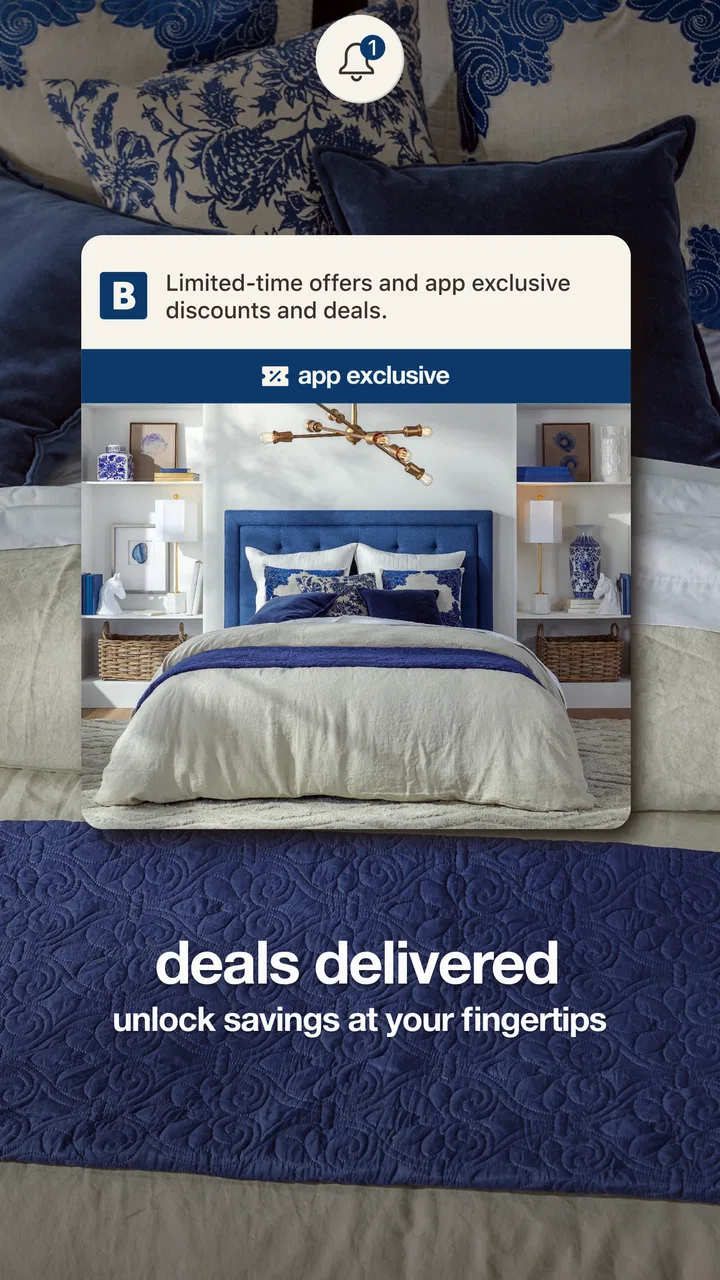
I also use a simple notification rule: alerts should support a decision, not create pressure. If the app offers shopping notifications through its normal controls, I would keep only the ones that help with an active purchase or planned project. Excessive notifications turn a useful catalog into a source of temptation, especially when I am browsing décor without a specific need.
Another practical setting is device-level permission management. I review what the app is allowed to access and keep only what feels relevant to my use. This is a general mobile habit rather than a promise about a particular feature, but it helps me keep shopping apps from becoming more intrusive than necessary.
Building a repeatable workflow for several rooms
Experienced use is mostly about repetition. I create a mental sequence: define the room, record measurements, search for the essential item, compare a small group, then check whether the supporting products actually belong in the same plan. I do not try to solve the entire home in one long session.
For a bathroom refresh, for example, I separate functional replacements from visual additions. Towels, a shower curtain, and storage solve immediate needs; decorative pieces are optional. This distinction keeps the budget focused and makes it easier to postpone attractive extras. The app is useful for both groups, but I get better results when I do not confuse them.
For bedding, I confirm the mattress and bed dimensions before browsing colors or patterns. I then consider whether the fabric and care requirements suit my routine. A beautiful set that requires more maintenance than I am willing to provide is not a good purchase for me, even if the app makes it easy to add to a cart.
For kitchen shopping, I group products by frequency of use. Everyday tools deserve attention to durability, cleaning, and storage. Occasional entertaining items can be judged more by capacity and appearance. This approach makes the app’s broad home selection easier to manage because I am applying a real household filter instead of reacting to each product independently.
Small shortcuts that make browsing less wasteful
My first shortcut is to search with the problem included. Instead of thinking only “basket,” I think “narrow bathroom storage” or “bedroom laundry basket.” The more clearly I define the use, the less time I spend opening products that cannot work in the space.
The second is to use a stopping rule. Once I have a few candidates that meet the required size, purpose, and style, I stop expanding the search unless one of them fails a practical check. Endless browsing rarely improves a basic household purchase; it usually makes me less confident.
The third is to review the basket as a room plan. I look for duplicate functions, mismatched dimensions, and products that depend on something I have not included. This is especially helpful when buying storage. A container is not automatically useful if it does not fit the shelf, cabinet, or corner where I intend to place it.
The fourth is to photograph or measure the space before I browse. I keep the measurements nearby and compare them with the product information as I go. This prevents a common mistake: choosing an item because it looks compact in the app, then discovering that doors, drawers, or walking space cannot open properly around it.
Where the experience can slow me down
The app’s focused catalog is both its strength and its limit. It helps narrow the subject to home shopping, but I still have to make the final judgment about quality, fit, and value. Images cannot fully communicate texture, weight, softness, or how a finish looks under the lighting in my home.
Browsing can also become less efficient when I have not decided what matters most. If I change priorities repeatedly between price, color, material, and appearance, I end up reopening similar products without moving toward a decision. That is not a failure unique to this app, but the polished presentation can make that kind of browsing feel productive when it is really just indecision.
I also do not assume that a product shown in a shopping app is automatically available in the exact version I want at the moment I need it. Before planning around one item, I check the selected variant and the current checkout details. For a coordinated room, I avoid making every other purchase depend on one centerpiece unless I am prepared to change the plan.
Advanced limits and when another option is better
The app is not a substitute for seeing materials in person when tactile quality is central to the decision. Towels, sheets, rugs, and upholstery are good examples. I can narrow the choice digitally, but I may prefer a physical store when softness, thickness, or color accuracy matters more than convenience.
It is also not my first choice for complex technical research. If I need detailed performance comparisons, compatibility information, or specialist advice, I use a retailer or manufacturer focused on that product type. The home-shopping context is helpful, but it should not encourage me to treat every category as equally simple.
Price-sensitive shoppers should use the app as one part of the process rather than the entire process. I compare the complete purchase, including the quantity needed and any related items, instead of judging one attractive price in isolation. A cheaper item that needs replacing sooner, does not fit the space, or fails to solve the original problem is not necessarily the better deal.
Privacy-conscious users should make the same careful choices they would with any retail app. I use an account only when it provides a clear benefit for my shopping process, and I avoid saving information that I do not need to keep. I also review the checkout screen calmly rather than treating the final tap as a formality.
Who should install it, and who should skip it
I would recommend it to someone who wants a dedicated place for home goods and prefers browsing by household need. It is a particularly natural fit for moving, redecorating, preparing a guest room, or replacing several basics at once. The free price makes it easy to try without committing to a subscription, and the Everyone age rating keeps it broadly accessible for household shopping.
I would suggest skipping it, or at least pairing it with another method, if the main goal is the absolute cheapest offer across every retailer. I would also look elsewhere for highly specialized equipment, extensive technical comparisons, or products where physical inspection is essential. The app is most convincing when relevance and convenience matter as much as exhaustive choice.
My final judgment after using a disciplined approach
The best way to use Bed Bath & Beyond is to bring a plan to the app. When I browse with room measurements, a short requirements list, and a clear distinction between essentials and extras, it becomes a useful companion for real household projects. When I open it without a purpose, it is easy to spend time admiring possibilities without improving the room.
Its long availability, dating back to February 16, 2010, gives it the feel of an established shopping destination rather than a temporary catalog. The developer, Bed Bath & Beyond, Inc, has built the experience around home-related purchasing, and that specialization is the reason I would choose it over a general marketplace for many ordinary household tasks.
I especially like the way a repeatable workflow reduces decision fatigue: start with the room, search around the actual problem, verify dimensions and variations, review the basket as a complete plan, and pause before checkout. Those habits matter more than simply installing the app, because they turn browsing into a controlled process.
My recommendation is therefore measured but clear. If your next purchase involves bedding, bath, décor, storage, kitchen needs, or another everyday home improvement, this app is worth trying. If you need a specialist, a physical inspection, or the broadest possible price comparison, use a different route. For the right kind of shopper, it offers a focused and approachable way to make home purchases with less clutter and more intention.
FAQs for Bed Bath & Beyond
01What features does the Bed Bath & Beyond app offer?
The Bed Bath & Beyond app provides a seamless shopping experience with features like easy browsing of products, checking order status, and accessing exclusive discounts. Users can create and manage gift registries, receive personalized recommendations, and use the in-app scanner for quick price checks and product details while shopping in-store.
02Is the Bed Bath & Beyond app free to download and use?
Yes, the Bed Bath & Beyond app is completely free to download and use on both Android and iOS devices. However, while the app itself is free, purchases made through the app will incur charges based on the products selected, just as they would on the website or in-store.
03How can I use coupons or promo codes in the app?
To use coupons or promo codes in the Bed Bath & Beyond app, simply enter the code at checkout in the designated field. Make sure the items in your cart meet the coupon’s requirements. The app frequently updates with new offers, so check regularly for additional savings.
04Does the app support online order tracking?
Yes, the Bed Bath & Beyond app allows users to track their online orders easily. Once you’ve made a purchase, you can check the status by navigating to the 'Order History' section in the app. You'll receive updates on shipping and delivery directly through the app notifications.
05What should I do if I encounter issues with the app?
If you experience any issues with the Bed Bath & Beyond app, you can reach out to their customer support via the 'Help' section in the app. They provide options to contact support through phone, email, or live chat. Additionally, ensure your app is updated to the latest version for optimal performance.
Pros
- Easy-to-navigate user interface.
- Wide range of products available.
- Seamless checkout process.
- Frequent sales and discounts.
- Efficient customer support.
Cons
- Occasional app crashes reported.
- Limited international shipping.
- Some items may be out of stock.
- In-app ads can be intrusive.
- Longer load times during peak hours.

Bed Bath & Beyond
Gallery